
How to Scale Instagram Automation Without Triggering Limits or Shadow Restrictions
Scaling is where most automation strategies fail. An automation setup that works perfectly at low levels can suddenly break once activity increases—leading to action blocks, reduced reach, or silent shadow limitations.
This article explains how to scale Instagram automation safely using Onimator, without disrupting account trust or triggering Instagram’s internal safeguards.
Why Scaling Automation Is Riskier Than Starting It
Starting automation is relatively easy. Scaling it is where Instagram becomes strict.
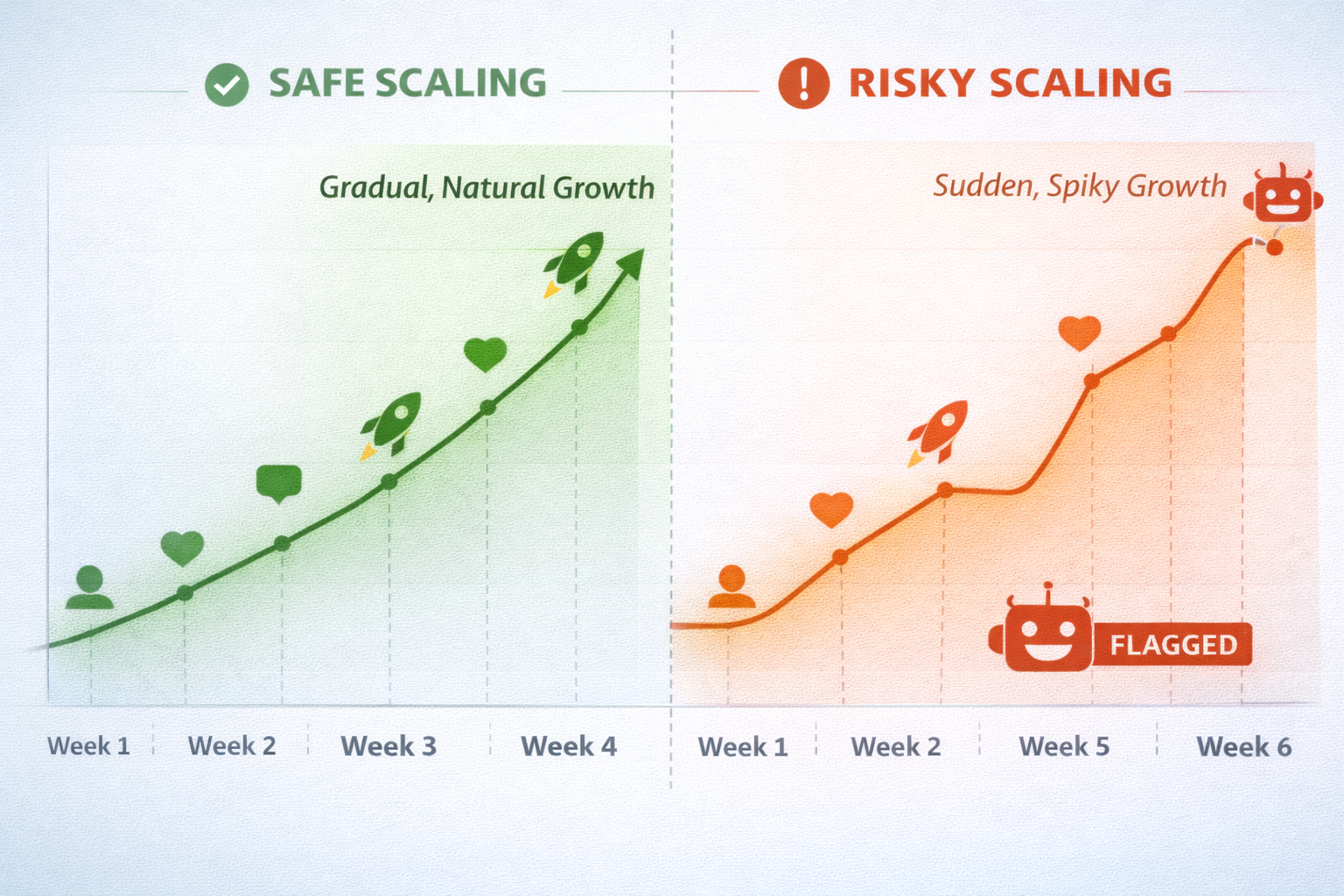
When activity increases, Instagram doesn’t just check how many actions you perform—it evaluates how fast behavior changes . Even if your new limits are technically “allowed,” sudden jumps can look unnatural and trigger system responses.
Safe scaling focuses on continuity. The goal is to make increased activity feel like a natural evolution of your account, not a behavioral reset. Onimator’s structure allows you to scale in controlled phases instead of abrupt changes.
Increase One Variable at a Time
One of the most overlooked scaling principles is changing only one variable at once. Increasing follows, likes, DMs, and targeting all at the same time makes it impossible to identify what caused an issue if something goes wrong.
A safer approach is to scale gradually—either by increasing daily limits, expanding targeting, or extending active hours, but never all at once. This method keeps automation predictable and easier to adjust.
Onimator lets you manage each automation independently, making controlled scaling both practical and safer.
Use Time Distribution to Scale Without Spikes
Scaling isn’t only about volume—it’s also about timing.
Many users increase limits but forget to adjust how actions are distributed throughout the day. Clustering actions into short time frames can create spikes that Instagram flags, even when totals seem reasonable.
Onimator distributes actions gradually, helping increased activity remain smooth and human-like. Scaling works best when activity stretches naturally across waking hours rather than appearing in bursts.
Expand Targeting Before Raising Action Limits
When scaling, expanding who you engage with is often safer than increasing how much you engage.
Refreshing or adding new targeting sources—such as hashtags, competitors, or audience segments—keeps automation effective without pushing higher action volumes. This approach reduces repetition and improves engagement quality.
Onimator’s targeting controls allow you to rotate audiences without disrupting your core automation behavior, which helps maintain account stability during growth phases.
Watch for Early Warning Signs While Scaling
Scaling should always be accompanied by close observation. Early warning signs include:
-
Slight delays in actions
-
Temporary action limits
-
Drop in story reach or explore visibility
These signals often appear before major restrictions. Catching them early allows you to pause, reduce limits, or stabilize behavior before damage occurs.
Onimator’s activity logs and automation indicators help users identify these patterns without guesswork.
Stabilize Before Scaling Again
One of the most important—but often skipped—steps in scaling is stabilization.
After increasing limits or expanding workflows, automation should run unchanged for several days or weeks. This allows Instagram’s systems to accept the new behavior pattern as normal before further changes are made.
Onimator makes it easy to hold steady once scaling is complete, reducing the temptation to constantly tweak settings.
Final Thoughts: Sustainable Scaling Is About Control, Not Speed
The fastest-growing accounts are rarely the ones that scale the hardest—they’re the ones that scale the smartest.
By adjusting automation gradually, monitoring stability, and respecting behavioral patterns, Onimator users can grow without risking long-term account health. Scaling should feel boring, predictable, and controlled—because that’s exactly what Instagram prefers.
Don't stop at reading.
Join the community or pick a plan and start automating today.
Get help, share wins, stay ahead.
Thousands of operators, direct support from the team, and a live feed of updates, tips and drops.
- Live support and troubleshooting from the team and power users
- Setup walkthroughs, targeting tips and workflow templates
- Early word on new bots, features and releases
Ready to put growth on autopilot?
Run your accounts, clients or traffic funnel while Onimator does the work. Start scaling today.
- Unlimited accounts
- All available tasks
- Integrated AI Chatter
- Up to 7 devices