If you run a local business—salon, gym, café, restaurant, clinic, real estate office—your customers are already on Instagram. They search “service + city”, compare photos and reels, and decide where to visit based on what looks active and trustworthy.
The problem: doing everything manually (follow, like, stories, DMs, cleaning your following) can take hours every week. This guide shows a safer, structured way to automate the repetitive parts—while keeping behavior human-like and predictable.
TL;DR: Target followers of local competitors and niche pages, filter out junk accounts, warm with likes & story views, convert new followers with a welcome DM, then maintain credibility with smart unfollow.
Why real devices matter (trust vs typical bots)
Local businesses need stability. That’s why “browser bots” are a bad fit: they often look like unnatural web automation and can trigger platform friction.
Onimator runs through the official Instagram app logic on Android environments, so the execution is closer to real user behavior. The goal is not spam volume—it’s consistent, human-like activity that compounds into local visibility.
No hardware? Use Onirent cloud phones
Onimator typically requires either:
- physical Android phones, or
- Android emulators you manage yourself.
If you don’t want to buy phones or deal with hardware setup, use Onirent instead:
- you rent real Android devices hosted remotely,
- they behave like real phones,
- Onimator can connect to them, so you keep the “real-device” benefits without owning hardware.
Simple formula: Onimator + Onirent = high-trust Instagram automation with zero hardware on your desk.
Step 1: Choose local targets (competitors & niche pages)
The most reliable local growth strategy is: target followers of other local accounts your customers already follow.
Examples of target sources:
- Salon / barbershop: other salons in your city, local beauty pages, local micro-influencers
- Gym / fitness: nearby gyms, trainers, “City Fitness” pages, health influencers
- Café / restaurant: popular local food accounts, “City Food” pages, nearby venues
- Real estate: agencies in your area, rentals pages, relocation accounts
Action: create a list of 10–30 IG handles where your ideal customers already hang out.
Step 2: Follow automation (competitors’ followers)
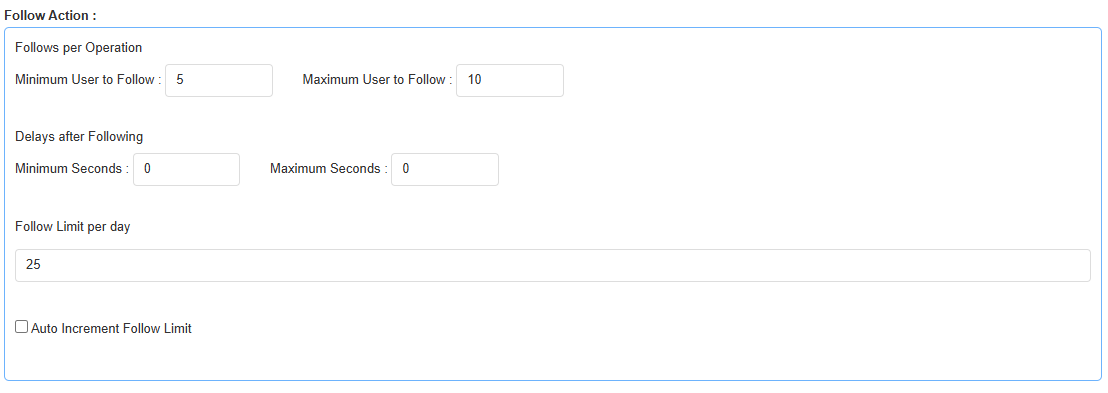
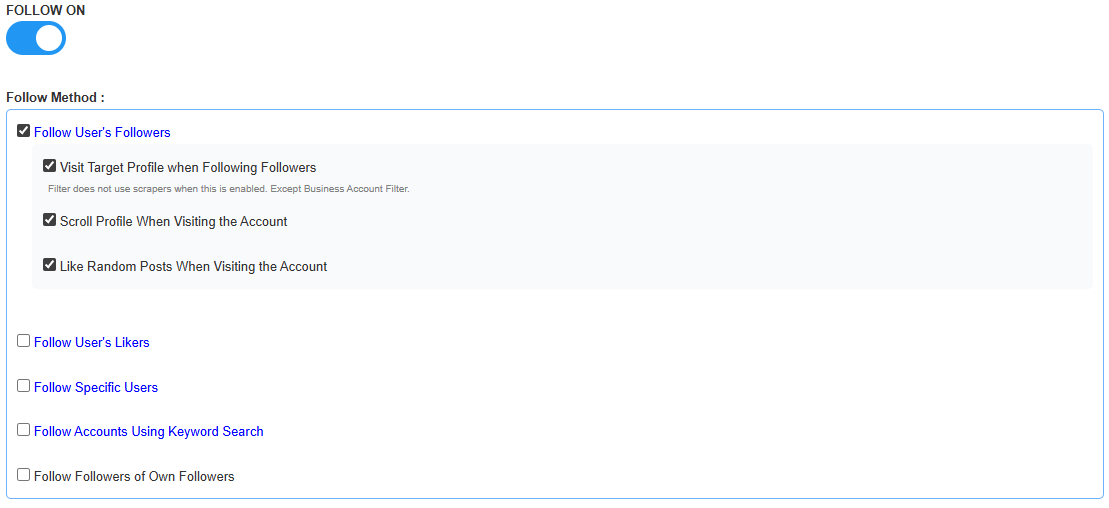
Now create a Follow task targeting followers of those accounts:
- Select source type (followers of accounts).
- Paste the handles from your target list.
- Set safe limits and delays.
- Pick the device (your phone/emulator or an Onirent cloud phone).
Step 3: Filtering (avoid junk)
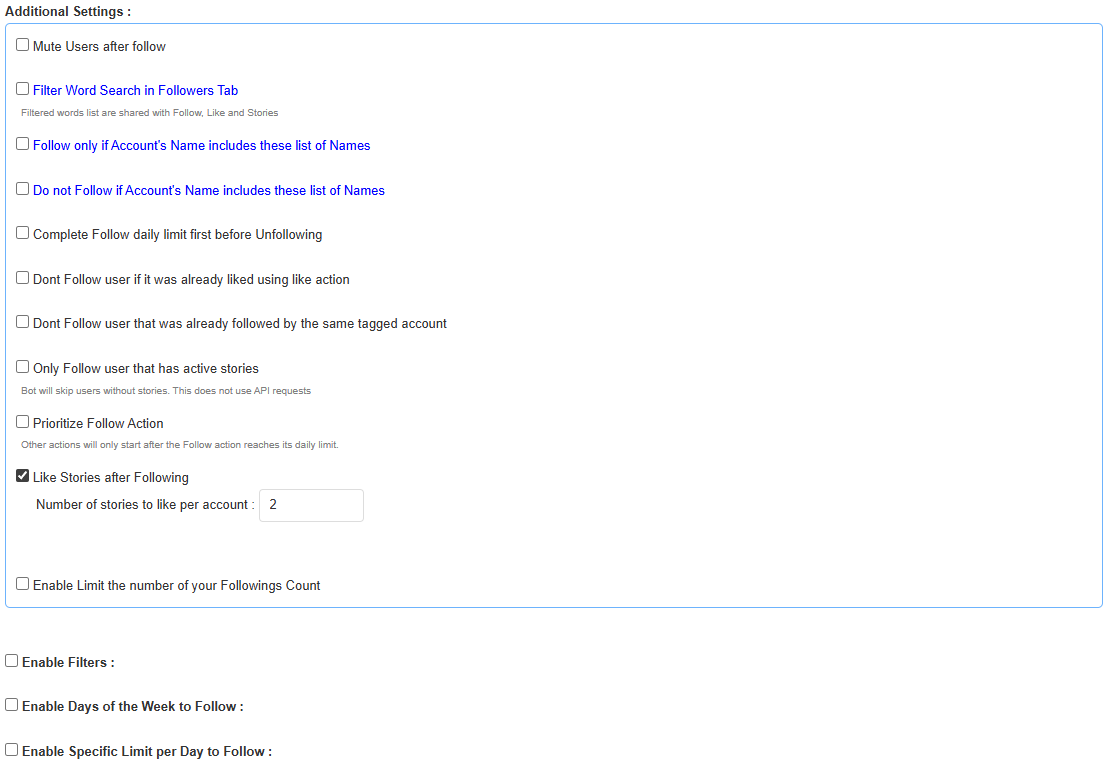
Not everyone following your competitors is a good lead. Filtering helps you focus on real, active local users.
Common filters worth using:
- Has profile picture (cuts low-effort/bot profiles)
- Minimum posts (e.g., 3–5)
- Followers/following thresholds (avoid extreme spam patterns)
- Public vs private (choose per strategy)
Local goal: prefer “normal people who look real” over mass volume.
Step 4: Likes & Stories (visibility loops)
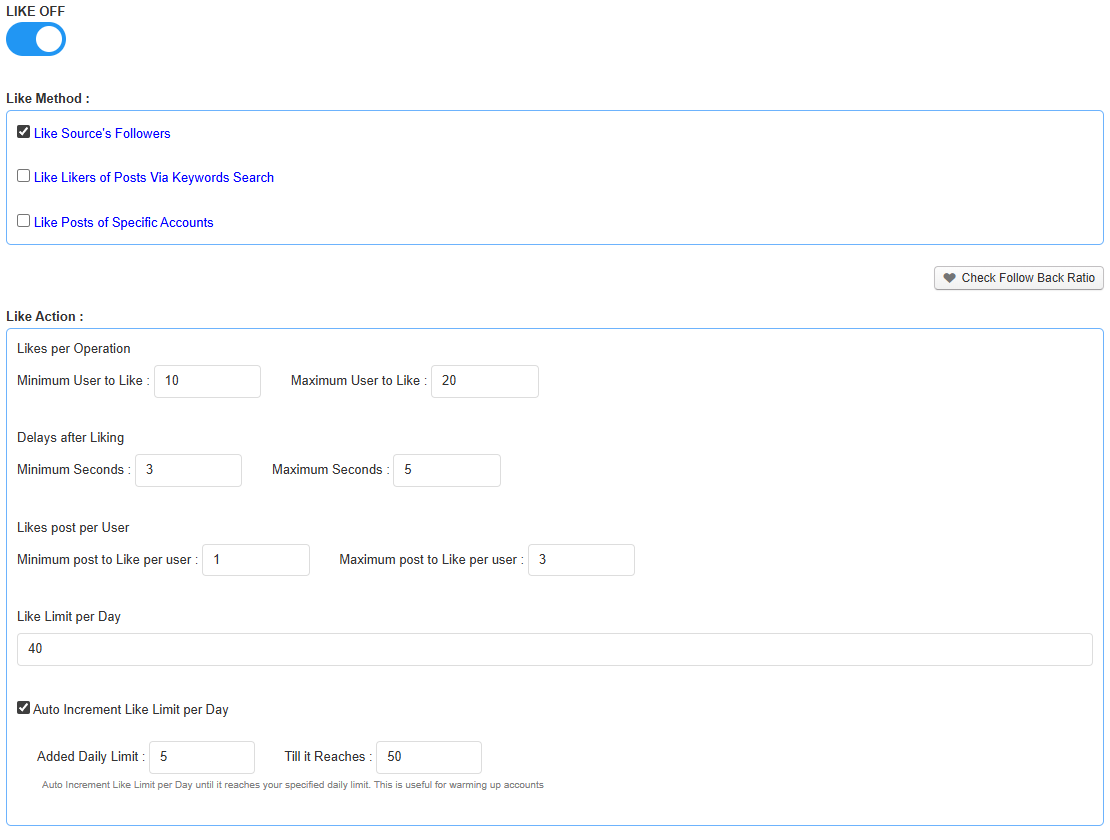
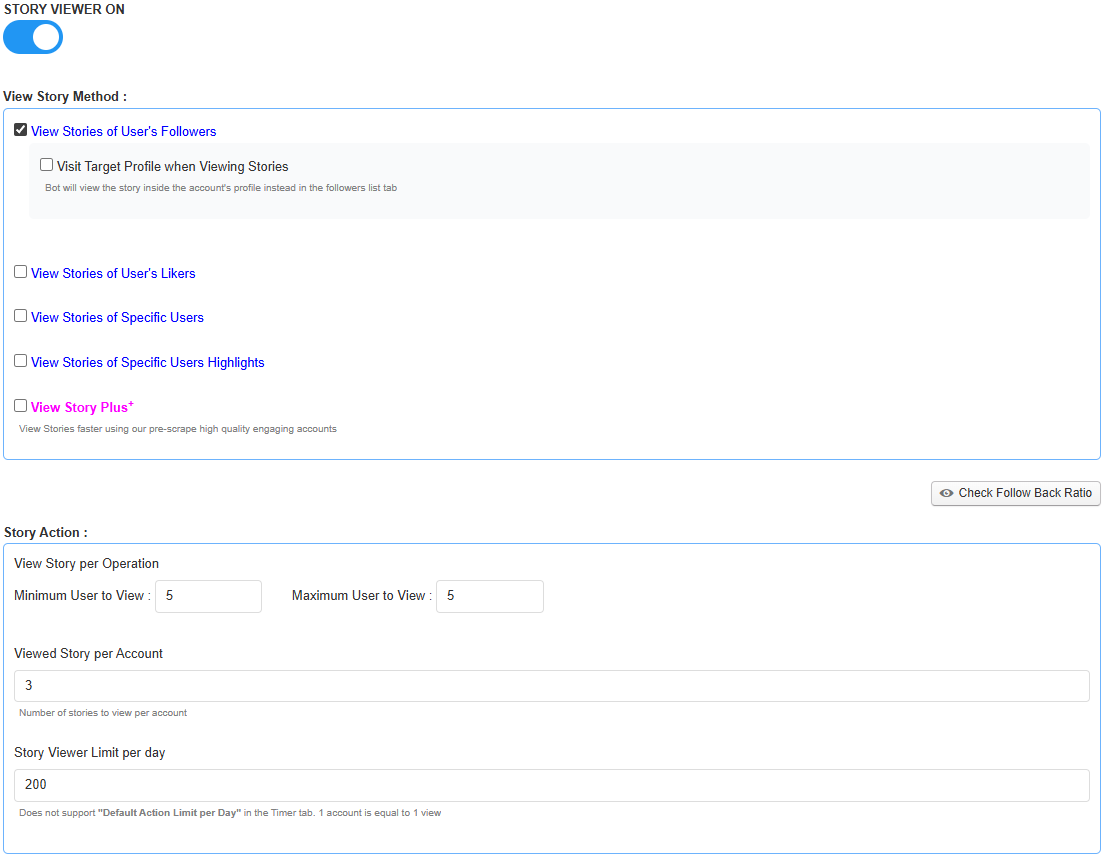
Following gets you noticed once. Likes and story interactions get you noticed multiple times. This matters for local brands because recognition drives profile visits—and profile visits drive bookings.
Recommended setup:
- Post likes: automatically like 1–3 recent posts (light touch).
- Story views / story likes: optional, used sparingly.
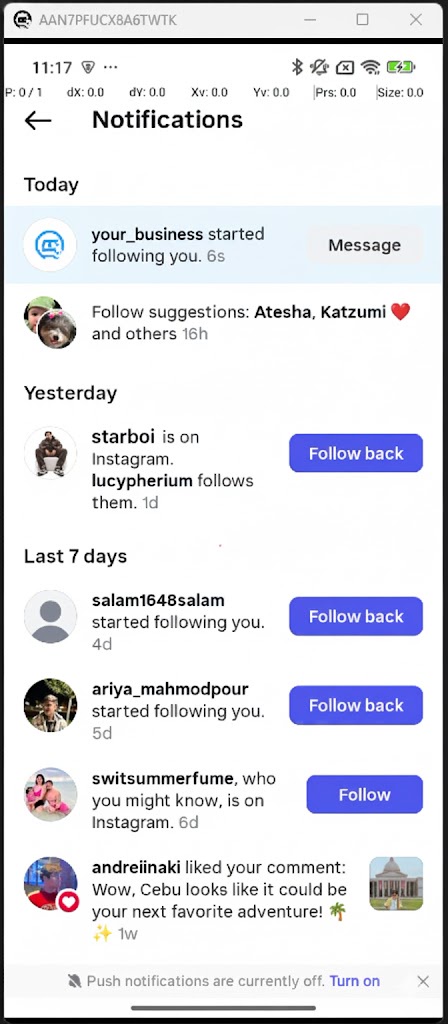
Quick profile checklist (local conversion)
- Bio: who you are + city + clear offer
- Link: booking/website
- Highlights: services, prices, results, testimonials
- Fresh content: recent posts/reels/stories so you look “alive”
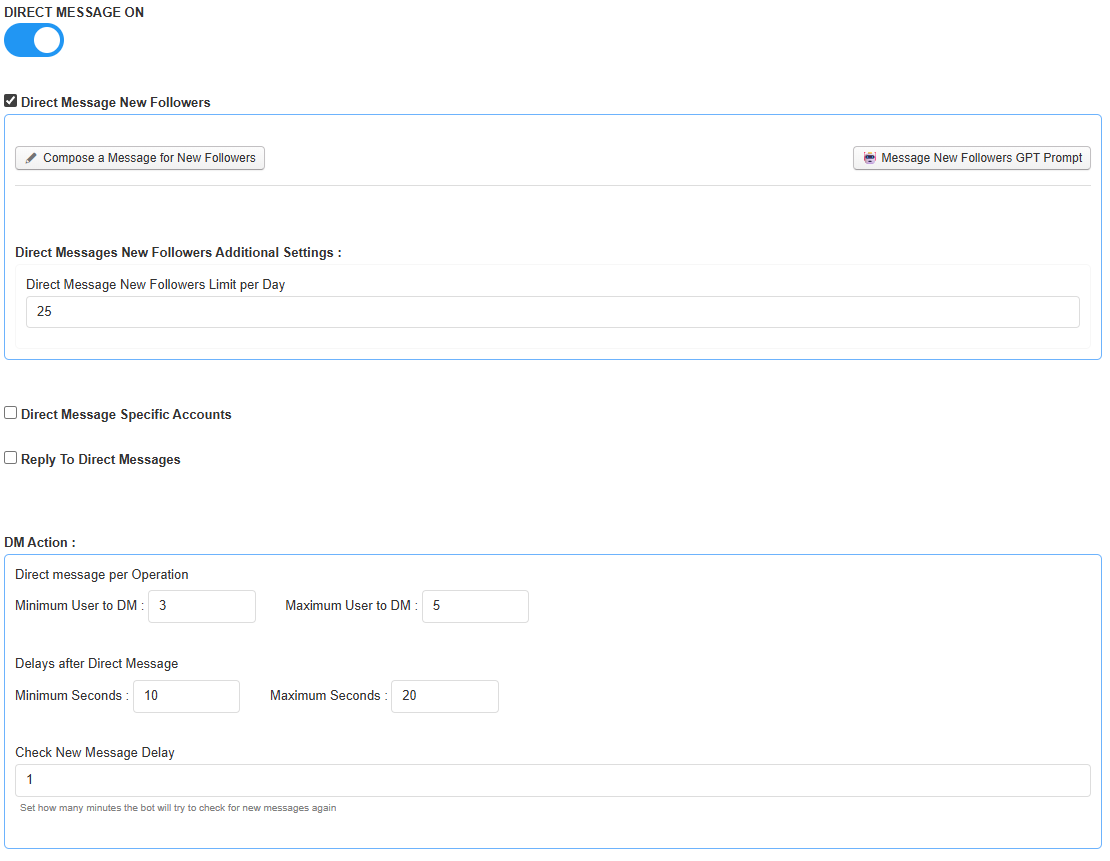
Step 5: Welcome DMs (turn followers into customers)
Welcome DMs are the fastest way to convert attention into bookings—if the copy is short, local, and helpful (not pitchy).
Use welcome messages for:
- first-visit discounts,
- booking links,
- one simple question to start a conversation.
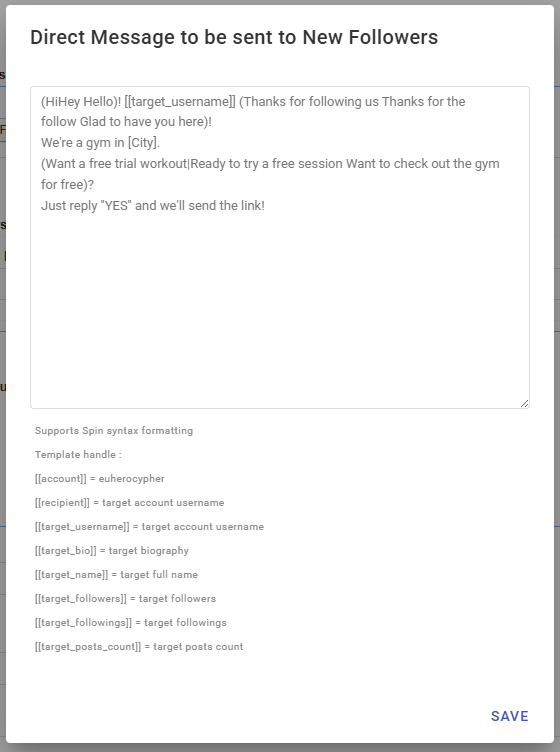
Copy templates (edit the brackets)
- Salon / beauty: “Hey! Thanks for the follow. We’re a [service] in [City]. This week first-time clients get [offer]. Want the booking link?”
- Gym: “Thanks for the follow! We’re a gym in [City]. Want a free trial session? Reply YES and I’ll send details.”
- Café: “Hey! Thanks for the follow. If you visit this week, show this message for [offer]. What’s your favorite coffee?”
Step 6: Smart unfollow (stay credible)
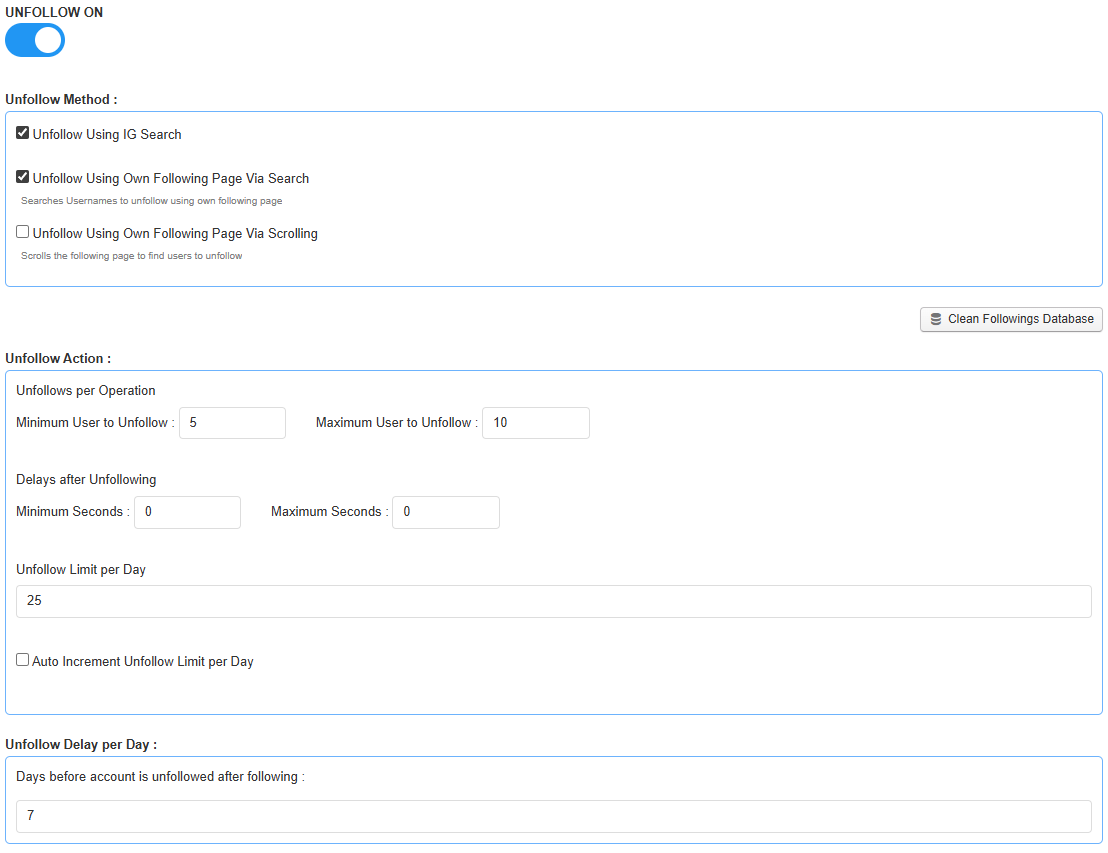
To keep your account professional, use smart unfollow to remove users who didn’t follow back after a reasonable window (e.g., 3–7 days).
Best practices:
- wait before unfollowing (avoid instant churn),
- keep unfollow limits realistic,
- exclude important local partners/customers when possible (safe lists).
Safety & best practices
- Start conservative for 7–14 days, then scale gradually.
- Avoid synchronized bursts; keep a natural daily rhythm.
- Prioritize targeting quality (right locals) over volume.
- Monitor sessions (popups, verification prompts, app updates).
Note: Always operate in line with platform rules. Automation should support authentic local marketing—great content and real-world service quality still drive retention.
Get started (strong CTAs)
Want predictable local growth without burning hours every week? Start with Onimator for real-device automation, then add Onirent if you want to run everything without buying phones.
1) Get Onimator (pricing & checkout)
- Buy / view pricing: Onimator Pricing & Checkout
- Product overview: Onimator.com
- Create an account: Sign up
2) Add Onirent cloud phones (no hardware)
- Onirent website: Onirent.com
- Rent a phone: Onirent “Rent a Phone” (login)
- Create an Onirent account: Register on Onirent
3) Tutorials and playbooks (recommended)
Recommendation: start with 1 device and one clear local target list. Stabilize for a week, then expand sources and actions gradually.