Instagram Follow/Unfollow Strategy: How to Use It Safely with Onimator (and Onirent)
The follow/unfollow strategy is one of the oldest—and still most effective—ways to grow on Instagram , if it’s done smartly and safely.
At its core, the strategy is simple:
-
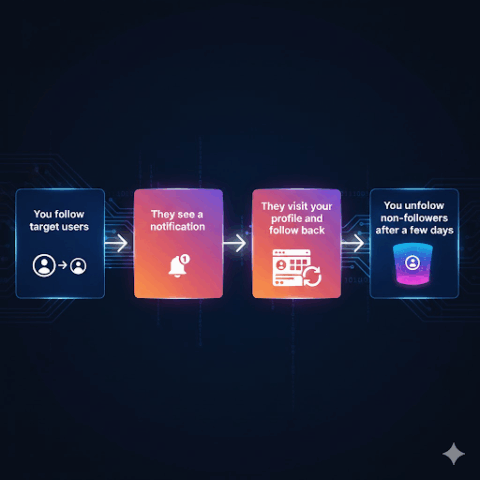
You find people who are likely to be interested in your content (for example, followers of similar accounts).
-
You follow them.
-
Some of them visit your profile and follow you back.
-
After a few days, you unfollow the ones who didn’t follow back so your account stays clean.
The challenge?
Doing this manually is exhausting.
Doing it with cheap browser bots is risky.
That’s where Onimator comes in. It runs your follow/unfollow strategy on real Android devices using the official Instagram app. And if you don’t want to buy or manage phones, you can run everything on cloud phones via Onirent .
In this guide, you’ll learn:
-
What follow/unfollow actually does for your growth
-
How to set it up properly in Onimator
-
How to make it safer and more effective with filters, likes, and DMs
-
How to run it without hardware using Onirent
What Does Follow/Unfollow Actually Do for Your Account?
Let’s explain this in plain language.
When you follow someone on Instagram:
-
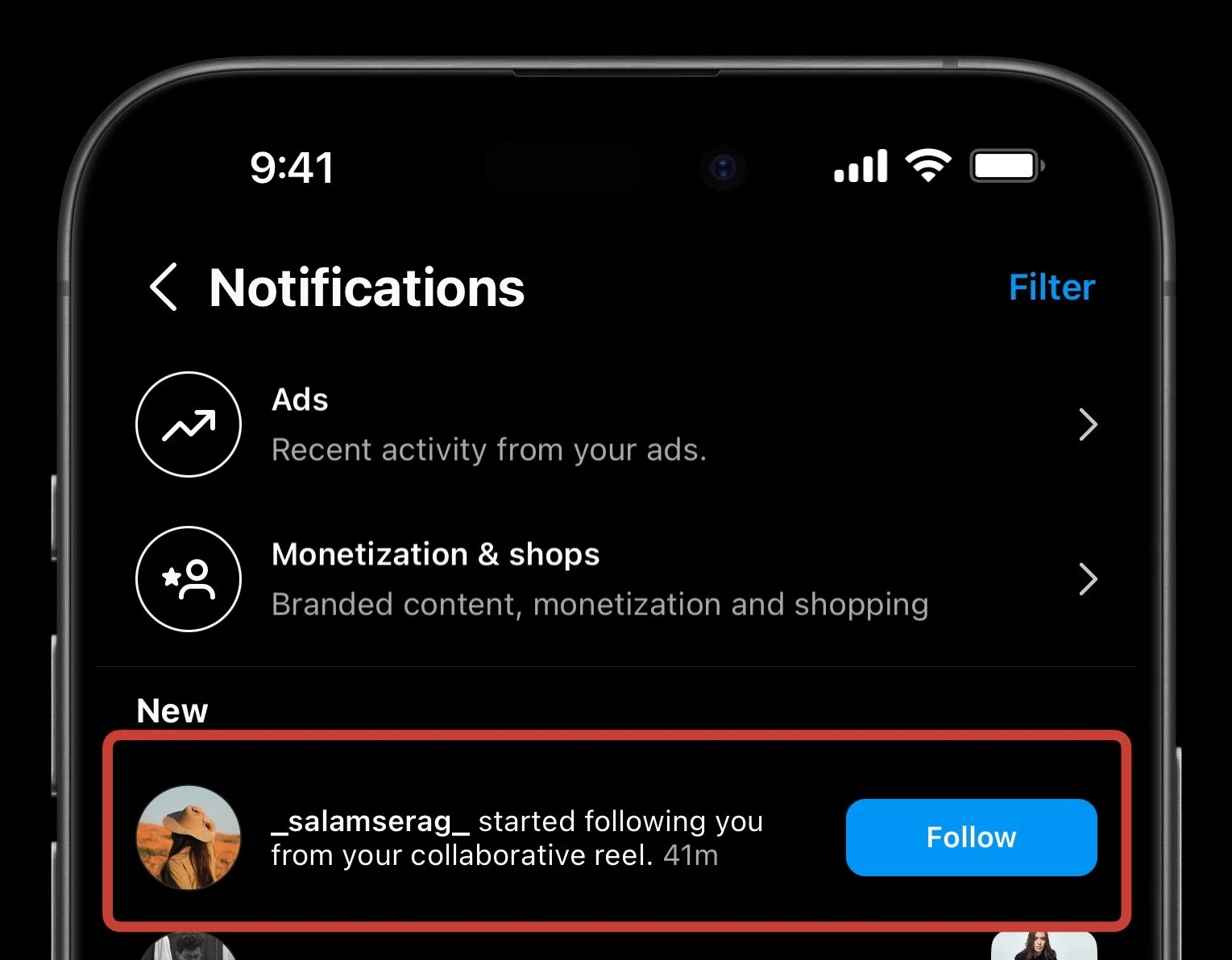
They get a notification: “@yourprofile started following you.”
-
Many people tap that notification to see who you are.
-
If your profile looks relevant and interesting, they follow you back.
The follow/unfollow strategy turns this into structured outreach :
-
You only follow people who are likely to care about your content
-
You do it consistently and in controlled numbers
-
You remove people who ignored you so your account doesn’t look spammy
Instead of waiting for discovery, you proactively introduce yourself —like knocking on the right doors and inviting people to check out your profile.
Why Use Onimator Instead of a Typical Bot?
The biggest difference is how actions are executed .
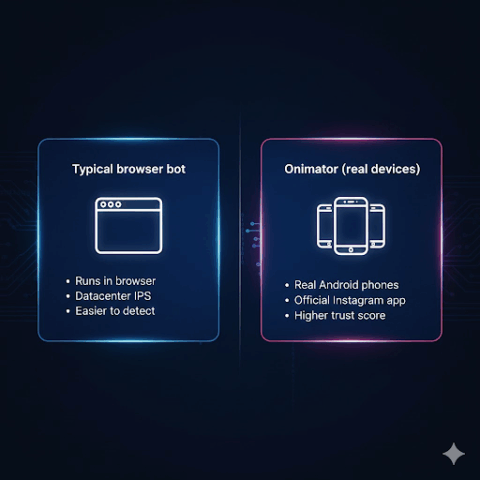
Most basic bots:
This is easy for Instagram to detect.
Onimator works differently:
-
It controls real Android devices (physical phones, emulators, or Onirent cloud phones)
-
Those devices run the official Instagram app
-
Actions look like real human behavior: taps, swipes, scrolls, in-app navigation
The result:
And if you don’t want to manage hardware, Onirent lets you keep all the trust benefits without owning a single phone .
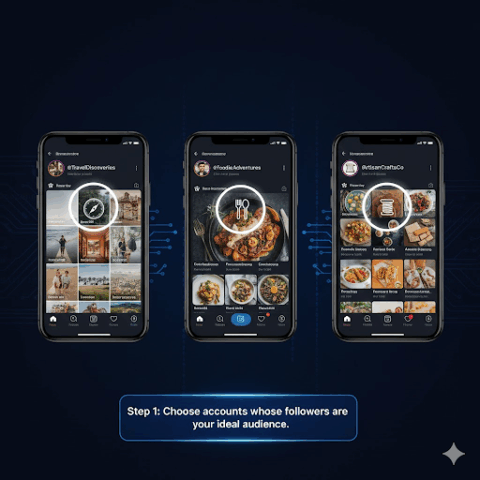
Step 1: Choose the Right Target Audience
Follow/unfollow only works if you’re targeting the right people.
Ask yourself:
“Who is my ideal follower—and who do they already follow?”
Examples:
Create a list of 10–30 Instagram accounts whose followers perfectly match your ideal audience.
Step 2: Set Up Follow Tasks in Onimator
Now you turn your target list into action.
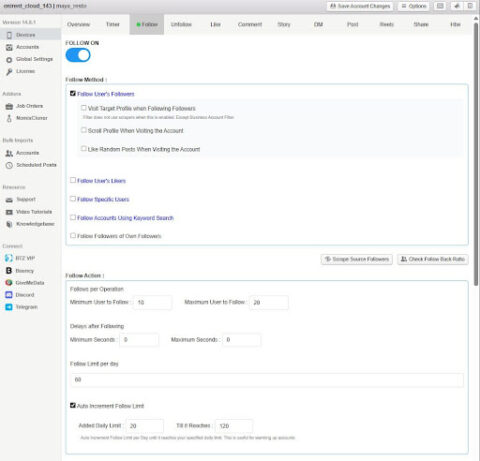
A typical Follow setup looks like this:
-
Create a new Follow task
-
Choose the source (for example, Followers of accounts )
-
Paste in your list of target accounts
-
Set daily and hourly limits to maintain human-like behavior
-
Choose where it runs:
From here, Onimator automatically follows users from your target pool within the limits you defined.
Step 3: Use Filters to Avoid Junk Accounts
Not all followers are equal. Many accounts are:
-
Bots
-
Inactive users
-
Empty profiles
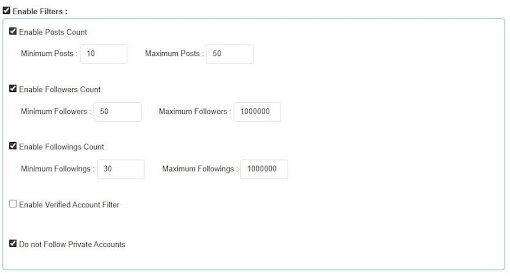
Filtering helps you spend actions only on real humans .
Useful filters include:
-
Has profile picture – removes many fake accounts
-
Minimum number of posts – ensures the account is actually used
-
Min/max followers – avoids dead or suspicious accounts
-
Private vs public accounts – depending on your strategy
Filtering means better follow-back rates and higher-quality growth.
Step 4: Set Up Unfollow to Keep Your Account Clean
Following without unfollowing leads to ugly ratios like:
-
Following 5,000
-
Followers 600
That hurts credibility.
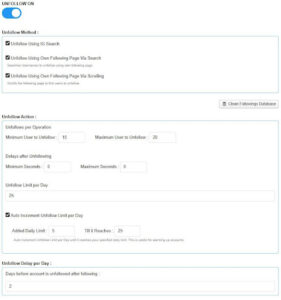
With Onimator, you can:
-
Create an Unfollow task
-
Automatically unfollow users who didn’t follow back after a set time
-
Exclude important accounts (friends, partners, influencers, customers)
Best practice:
Wait 3–7 days before unfollowing so people have time to notice and respond.
Step 5: Boost Results with Likes and Optional DMs
Follow/unfollow is the foundation—but you can amplify results.
a) Auto Likes
Set Onimator to like 1–3 recent posts of each followed account.
This creates a powerful notification pattern:
Much harder to ignore than a follow alone.
b) Welcome DMs (Optional)
You can also send friendly, non-spammy welcome messages.
Examples:
Personal brand
“Hey! 👋 Thanks for the follow.
I share a lot about [your topic]. What are you working on right now?”
Business
“Hi! Thanks for following us 😊
If you have any questions about [your product/service], feel free to message us anytime.”
The goal is conversation—not hard selling.
Step 6: Run Everything Without Hardware Using Onirent
Normally, Onimator runs on:
-
Your own Android phones
-
Or emulators
With Onirent , you can skip hardware entirely:
-
Real Android devices hosted in the cloud
-
Instantly connect to Onimator
-
Run everything remotely (even from a VPS)
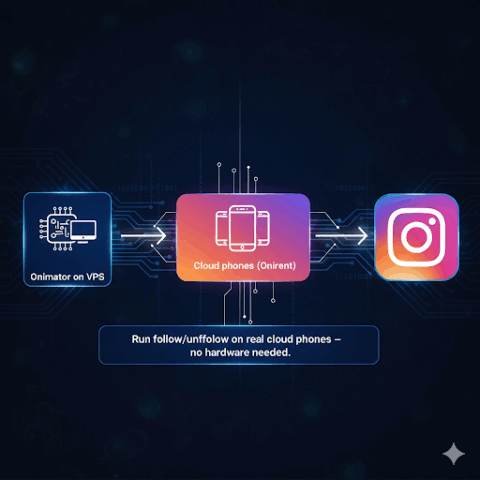
Your setup becomes:
Onimator → Onirent cloud phones → Instagram
No cables. No phone maintenance. Only real-device trust.
Best Practices for Safe Follow/Unfollow Growth
To keep your account healthy:
-
Be consistent, not aggressive
-
Combine automation with strong content
-
Always use filters
-
Respect limits and delays
-
Track results (follow-backs, visits, DMs, conversions)
Think long-term, not shortcuts.
Final Thoughts
The follow/unfollow strategy is still one of the most effective ways to actively reach new people on Instagram— when done correctly .
It works best when it’s:
-
Targeted (right audience)
-
Filtered (real people)
-
Controlled (safe limits)
-
Supported by content, likes, and optional DMs
With Onimator, you can automate this strategy using:
You get the trust of real-device behavior with the scalability of automation — the balance that sustainable Instagram growth actually needs.