
Why Your First Login Determines If an Account Ever Runs Cleanly
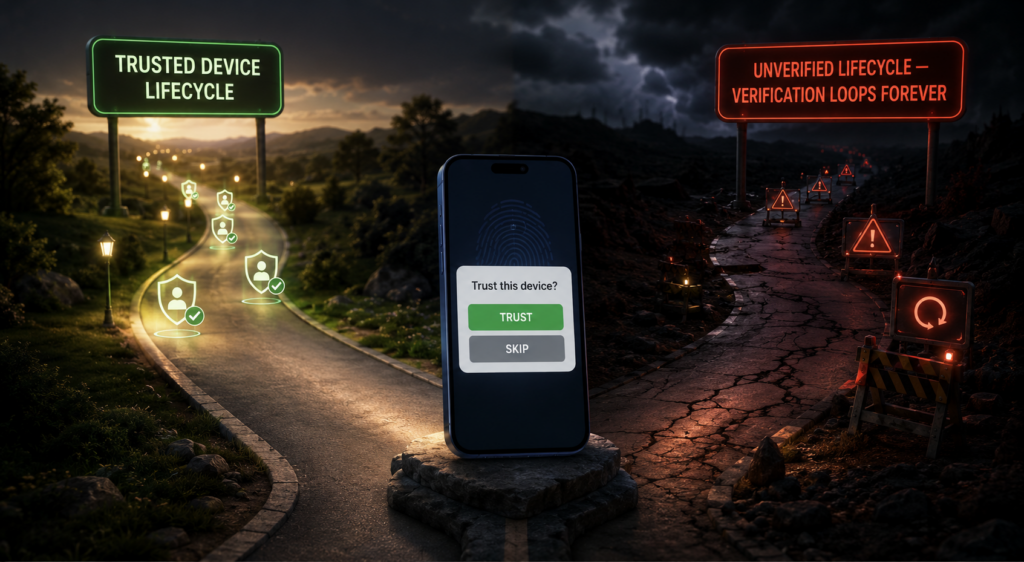

You imported an account into Onimator. It logged in on the first attempt. Session went through, trusted-device prompt got accepted, everything looked clean. A month later that account is hitting verification challenges nobody else in the batch is getting. Its action limits get throttled sooner. It faces more Try Again Later popups than similar accounts. Nothing about how you’re running it now explains the difference.
The difference was in the first login. What IP the account authenticated from, what device it registered as trusted, what network signals the platform recorded during that specific session — all of that got baked into the account’s baseline. Everything after runs against that baseline. Fresh accounts that clear a clean first login run smoother for months. Fresh accounts that hit a messy first login carry the specific detection debt for their entire operational lifespan.
Most operators focus on warm-up and never think about the first login itself. That’s backwards. The first login is where the platform decides what “normal” looks like for this account. Warm-up is what runs against that decision.
What the platform actually records
When you log into Instagram (or any Meta property) on a new device for the first time, the platform captures a specific set of signals and stores them as the account’s initial fingerprint:
The IP the login came from. The specific IP and its geographic region get tagged as the account’s registration origin. Everything downstream cross-references against this — if you’re operating the account from an IP significantly different from the registration IP later, that’s a signal.
The device fingerprint. Model, OS version, screen resolution, sensor characteristics, timezone. This becomes the “trusted device” record if you accept the trust-device prompt. Every subsequent session gets compared to this original fingerprint.
The account’s behavioral start. What did the account do in the first minutes and hours after login? Did it immediately follow 50 people? Did it just log in and view the feed? Was there a 2FA verification event? All of this becomes the baseline behavioral pattern the account is expected to continue.
The verification pathway. Did the account clear 2FA cleanly? Did it hit a verification loop? Was a login alert triggered that took hours to resolve? The specific path to verified access gets recorded as part of the account’s history.
All of this happens once, during the first login. There’s no “reset” for it — you can’t tell Instagram to forget the original fingerprint and start over. The baseline persists.
Why the specific mistakes compound
Common first-login mistakes and what they cost:
Logging in from a datacenter IP or VPN. The registration IP gets tagged as suspicious. Every subsequent session runs against that specific “suspicious origin” flag. Some accounts recover; many operate under permanently elevated scrutiny that shows up as extra verification prompts, tighter action limits, and faster shadowban risk.
Skipping the trust-device prompt. If you decline or ignore the “trust this device” dialog, the account never establishes trusted-device status for the phone. Every future session then has to re-verify as a new device, which triggers more security friction and burns login verification budget.
Aggressive activity immediately after first login. Fresh account logs in, follows 30 accounts, likes 50 posts, sends 10 DMs — all in the first hour. This creates the “day-zero abuse” pattern that platform models associate with spam accounts. Even if the activity slows down after, the day-zero signature stays in the account’s history.
Different IP than the account was created on. If the account was created on your personal IP and then handed off to run on a different phone/IP for the first login, the specific mismatch gets flagged. The account looks like it was taken over rather than legitimately operated by the same user.
Failed logins before success. Wrong password entered a few times before the right one gets in. Even after successful login, the specific failed-attempts pattern gets recorded as part of the account’s authentication history. This alone won’t sink an account, but combined with other signals it contributes to the elevated-scrutiny baseline.
How to do first login right
The specific practices that produce clean baselines:
Match the login environment to the operating environment. If the account will run on Phone A behind Mobile Proxy B, do the first login on Phone A through Mobile Proxy B. Don’t create the account on your desktop, log in from your home wifi, then hand it off to the phone. Every environment change adds signals the platform interprets as suspicious.
Accept the trust-device prompt. When Instagram (or the target platform) asks whether to trust the device, accept. This establishes the account’s trusted-device relationship with the specific phone it’ll run on. Auto-Login handles this correctly if you’ve configured it, but manual first-logins that skip the dialog leave the account without trusted-device status.
Keep the first session boring. Log in, view the home feed for a few minutes, maybe view one profile, close the app. Don’t do anything outbound. Fresh accounts that behave like actual new users for the first session establish the right baseline. Fresh accounts that immediately start following, liking, or messaging establish the wrong baseline.
Handle 2FA before automation. If the account has 2FA enabled, make sure Auto-Login has the 2FA secret so the challenge gets handled cleanly on the first attempt. Failed 2FA attempts contribute to the “sketchy account” baseline; clean 2FA verification contributes to the “legitimate account” baseline.
Give the account 24 hours after first login before any real activity. Not zero activity — some passive browsing is fine. But no outbound. Give the platform time to settle the account’s initial classification before you start generating signals that could get misread.
Where Auto-Login fits
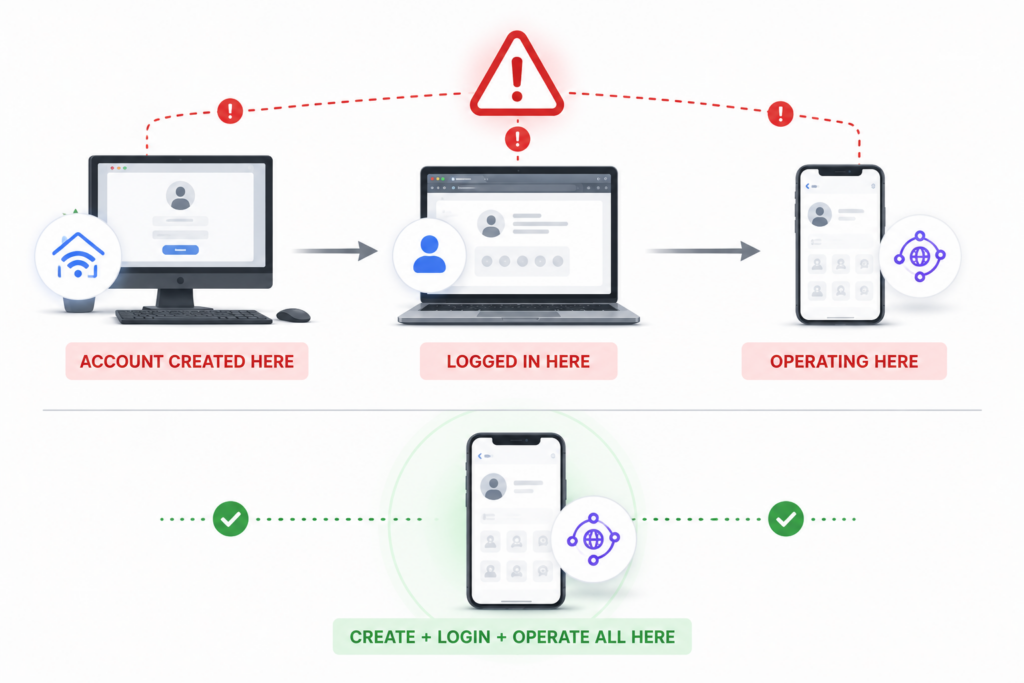
Auto-Login handles the first-login mechanics automatically when you import a fresh account into Onimator. Credentials get entered, 2FA gets handled, trusted-device prompt gets accepted, initial session gets established — all in the correct sequence, on the correct device, through whatever proxy you have configured for that account.
Manual first logins that operators do by hand miss steps. The 2FA prompt gets skipped because the operator didn’t have the code ready. The trust-device dialog gets ignored because the operator was in a rush. The first login happens on the wrong network because the phone hadn’t finished connecting to the proxy yet. Every missed step adds a signal to the account’s baseline.
Auto-Login doesn’t fix bad configurations — if your proxy is broken during the first login, Auto-Login logs in through the broken configuration and bakes that into the baseline. But it removes the specific class of failures where operators forget steps or handle them inconsistently across a batch of new accounts.
The bigger picture
Fresh accounts aren’t blank slates when they hit their first session. They’re blank slates until the first login, and then whatever happens during that first login becomes their profile. Everything downstream — warm-up, tool activation, campaign work — runs against the baseline the first login created.
Operators who understand this treat first login as its own operational phase, distinct from warm-up. Do first login carefully, on the right environment, with the right sequence. Then start warm-up. The specific effort spent on first-login discipline pays off across the entire lifespan of the account. Skipping the discipline saves a few minutes at onboarding and costs weeks of degraded performance later.
The trust-device status you establish on day one shapes what the platform tolerates from the account on day 300. The IP the account registers on determines what geographic patterns count as normal. The 2FA verification path colors how future security challenges get evaluated. All of it starts at the first login. Handle it accordingly.
Don't stop at reading.
Join the community or pick a plan and start automating today.
Get help, share wins, stay ahead.
Thousands of operators, direct support from the team, and a live feed of updates, tips and drops.
- Live support and troubleshooting from the team and power users
- Setup walkthroughs, targeting tips and workflow templates
- Early word on new bots, features and releases
Ready to put growth on autopilot?
Run your accounts, clients or traffic funnel while Onimator does the work. Start scaling today.
- Unlimited accounts
- All available tasks
- Integrated AI Chatter
- Up to 7 devices