
Why Your Instagram DMs Land in Message Requests (And Never Get Seen)

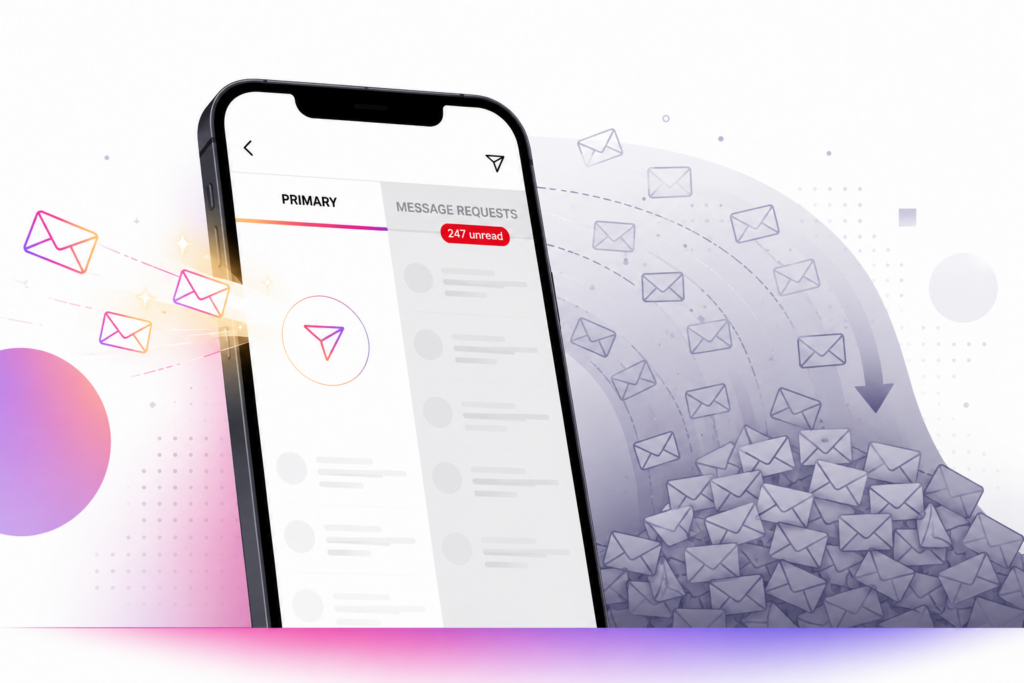
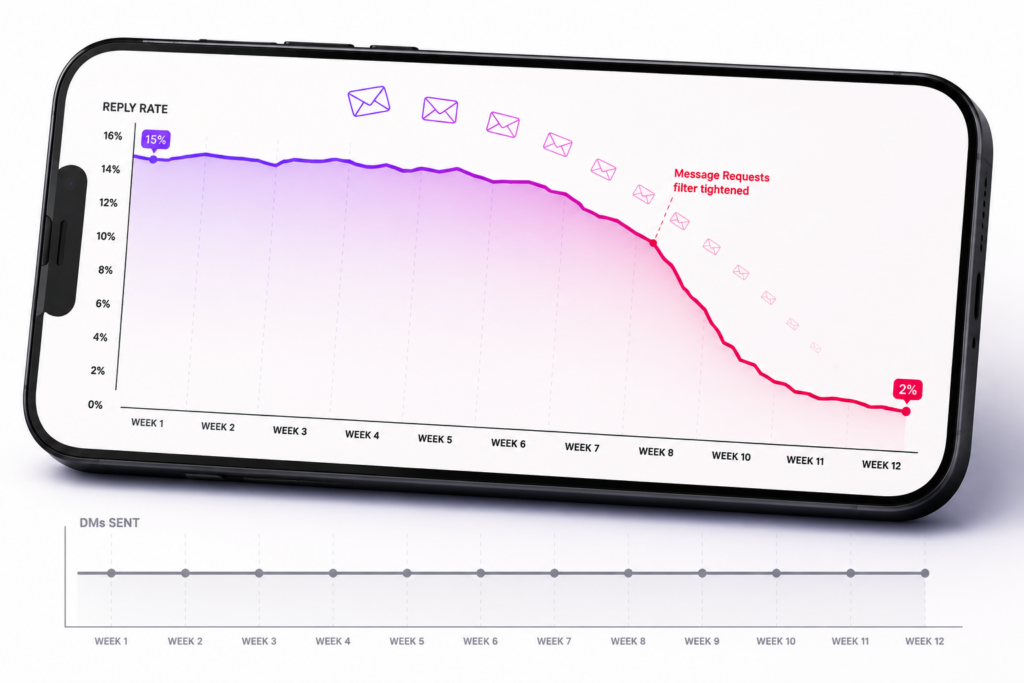
You send a DM to a target user. Instagram accepts the send. Your automation logs it as delivered. From your side, everything worked. Then you check reply rates a week later and they’re at 2%, when the same script two months ago was pulling 15%. Nothing about the message changed. Nothing about the targeting changed. But something clearly did.
Most of your DMs aren’t landing in the recipient’s inbox. They’re landing in Message Requests — Instagram’s filtered folder where messages from accounts the recipient doesn’t follow get held for approval. And Message Requests is a folder most users open once every few weeks, if ever. A DM that arrives there might as well not have arrived at all.
This is the specific reason DM reply rates decay for operators who don’t understand what’s changed. Instagram hasn’t blocked you. Your account isn’t shadowbanned. Your DMs are technically being delivered. They’re just being delivered to a folder nobody checks.
What Message Requests actually is
Instagram splits DMs into two tabs: Primary (messages from accounts you follow, plus messages Instagram has decided you probably want to see) and Message Requests (everything else). New follower asks, cold outreach, promotional messages, and anything Instagram flags as potentially spam ends up in Message Requests.
The recipient has to open Message Requests, review the sender, and accept the conversation before it moves to their Primary tab. Only then do notifications start firing and only then does the message act like a normal DM. Until acceptance, the message sits in a folder most users don’t habitually check — Instagram doesn’t push notifications for Message Requests the same way it does for Primary, and the UI hides the count behind an extra tap.
What triggers routing to Message Requests
Instagram doesn’t publish its filtering rules, but operator experience across thousands of accounts has surfaced a consistent set of triggers:
No mutual follow. If the sender doesn’t follow the recipient and the recipient doesn’t follow the sender, the DM defaults to Message Requests. This is the most consistent trigger. Cold outreach hits Message Requests almost universally because cold-outreach by definition means no existing follow relationship.
Sender account signals. Fresh accounts, low-engagement accounts, accounts with high follow-to-follower ratios, accounts sending high daily DM volume — all get filtered more aggressively. Instagram’s models weight these signals and route the specific sender’s DMs to Message Requests at higher rates than DMs from accounts with clean signals.
Content pattern signals. DMs containing links, promotional language, or text patterns that match known spam get filtered harder. Even legitimate opener copy that reads too “sales-y” can trip these filters.
Recipient signals. Accounts that regularly ignore or delete Message Requests get more aggressive filtering — Instagram learns which recipients don’t want cold outreach and filters more of it out. This creates a compounding problem where the recipients most worth reaching are the ones filtering the most.
Reported sender history. If your account has been reported for spam DMs previously, the filter tightens across the board. Even one or two reports can move you from occasional filtering to near-total filtering, and the effect persists for weeks.
Why this is invisible to automation
The reason operators don’t catch this quickly is that everything on the sender side looks normal. The DM send API call succeeds. The automation logs it. Instagram shows the message as sent from your outbox. Your dashboard reads healthy delivery numbers. There’s nothing in the sender-side data to indicate that Instagram routed the message to Message Requests instead of Primary.
The signal only shows up in reply rate. And reply rate is a lagging metric — you don’t notice it dropped until you’ve been running against the current filter environment for weeks. By then, the specific accounts and specific message patterns that caused the filter tightening have accumulated impact you can’t reverse quickly.
How to actually check
You can’t inspect where your specific DMs landed on the recipient side. Instagram doesn’t expose that data. But you can check indirect signals:
Compare read receipts. If your DMs stop getting read receipts (message stays “sent” rather than “seen”), that’s the loudest indicator they’re landing in Message Requests. Recipients don’t open Message Requests, so messages don’t get seen.
Test with a known contact. Have someone you know check whether your test DM lands in their Primary or Message Requests. If it’s landing in Requests for someone who follows you (or vice versa), your account is being filtered aggressively.
Track reply rate over time. A steady decline in reply rate on unchanged messaging is the pattern that indicates increasing filter tightening. If two months ago the same script pulled 15% and now pulls 3%, the delta is almost always Message Requests routing.
What actually gets DMs into Primary
Nothing gets 100% of DMs into Primary. Instagram filters cold outreach by design. But operator practices that reduce the filtering rate:
Warm the target before you DM them. Engage with their content first — like a few posts, watch some stories, occasionally comment. Instagram tracks pre-DM interaction between accounts and treats DMs from accounts that engaged with the recipient’s content differently than DMs from accounts with no prior interaction. The warming doesn’t have to be extensive; a few interactions across a couple of days shifts the routing.
Follow before you message. If the target follows you back (even a small percentage do), your subsequent DM lands in Primary automatically. Follow-first-DM-later is measurably more effective than DM-first even after accounting for the reduced volume from lower conversion.
Keep DM volume in ranges Instagram tolerates. Accounts sending 200+ daily DMs get filtered more aggressively than accounts sending 30-50. Volume tuning matters. Onimator’s per-account DM caps exist for this reason — pushing them to max produces the specific filter response that lowers effective reach.
Watch what messages you send from what accounts. Different sender-account profiles get filtered differently even sending identical messages. Some accounts you’ll never rehabilitate; if you’ve hit heavy filtering on a specific account, it’s often faster to move DM output to a fresh account than to try to recover the flagged one.
Vary opener copy. Identical openers across many DMs trigger content-pattern filters. Spintax handles this — write the opener with variants and each recipient gets a different version. Even small variance materially reduces the identical-content signature.
Why this matters more than most operators realize
DM Deliverability is the load-bearing metric for any DM-based strategy. It doesn’t matter how good your opener is, how well-targeted your outreach list is, or how many DMs you’re sending per day if 80% of them land in a folder nobody opens. Reply rate calculations that don’t account for delivery routing miss the actual problem.
Most operators think about DM automation as “how many messages can I send.” The right frame is “how many messages will actually get seen.” Those are two different numbers, and the ratio between them shifts as Instagram tightens its filters over time.
Every DM strategy that survives long-term does so by managing the ratio. Warm targets before messaging, keep sender accounts clean, vary content, tune volume. Skip these and you generate impressive-looking DM send numbers with collapsing conversion because the messages aren’t reaching human attention.
Don't stop at reading.
Join the community or pick a plan and start automating today.
Get help, share wins, stay ahead.
Thousands of operators, direct support from the team, and a live feed of updates, tips and drops.
- Live support and troubleshooting from the team and power users
- Setup walkthroughs, targeting tips and workflow templates
- Early word on new bots, features and releases
Ready to put growth on autopilot?
Run your accounts, clients or traffic funnel while Onimator does the work. Start scaling today.
- Unlimited accounts
- All available tasks
- Integrated AI Chatter
- Up to 7 devices