
Real Phone vs Cloud Phone vs Emulator: Which Should You Automate On?
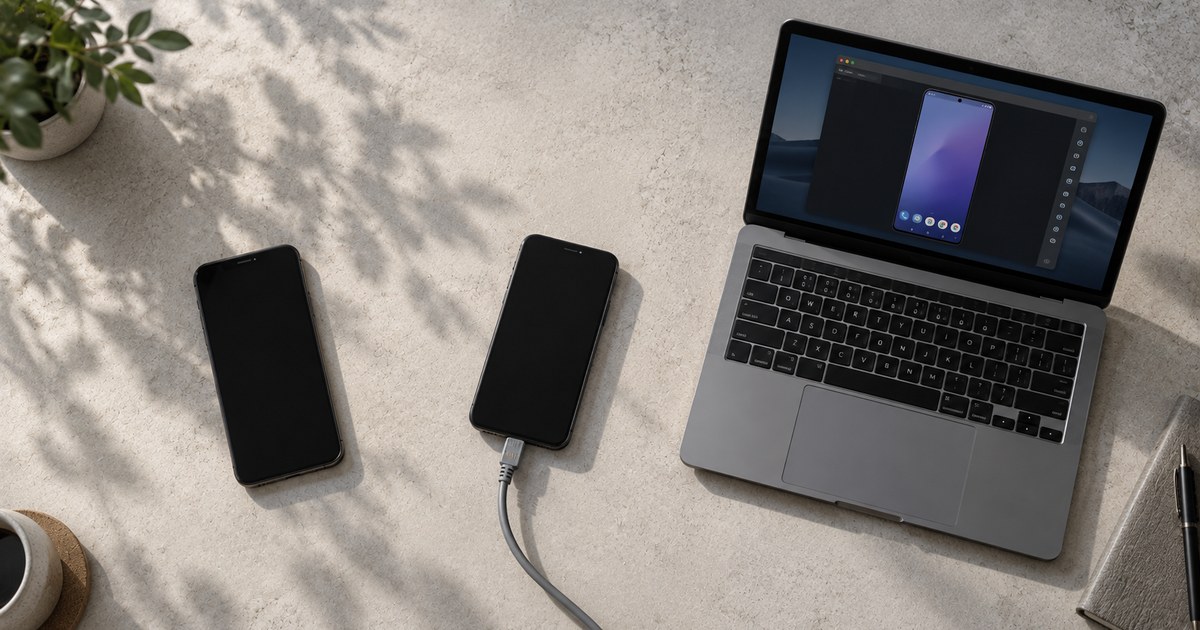
There are three places Android automation can run: a physical phone on your desk, a cloud phone you rent in a data centre, or an emulator on your PC. They differ in one way that matters more than all the others: how much of a real device the platform can see. A physical phone is one. A cloud phone usually is one. An emulator never is.
Everything else, cost, convenience, how many you can run, follows from that.
Onimator is the software that drives the real Android app on a real device, tapping through the interface the way a person would. It supports all three, and the setup wizard is identical for each. The only difference is how the device becomes reachable in the first place.
What is the difference between the three?
Where the Android system actually runs, and who owns the hardware it runs on.
| Real phone | Cloud phone | Emulator | |
|---|---|---|---|
| What it is | A physical handset on your desk | A physical handset in a data centre, rented | Simulated Android on your PC |
| Hardware | Yours | The provider's | None, it is software |
| Cost shape | One-off purchase | Monthly, per device | Free |
| Fingerprint | Genuine | Genuine, if the provider is genuine | Detectable |
| Reachable remotely | No | Yes, from anywhere | No |
| Setup effort | Cables, power, desk space | Lowest, nothing to plug in | Low, but heavy on your PC |
| Best for | Accounts you cannot afford to lose | Scaling without buying hardware | Learning and testing |
All three must run Android 11 or newer. Check under Settings → About phone → Android version before you buy or rent anything. A cheap handset stuck on an older release will not work however well it otherwise performs.
Which one do platforms trust most?
Real phones, then genuine cloud phones, then emulators, and the gap between the last two is not small.
A physical handset presents a real device fingerprint: real hardware identifiers, real sensors, real timing characteristics. Put a SIM in it and it also carries a mobile carrier IP, which is the most trusted class of IP there is.
An emulator is software imitating all of that. It can be configured well, and it will still present signals that reveal it, because platforms have spent years learning what those signals look like. The practical result is that accounts on emulators get flagged sooner and recover more slowly.
This is why the decision is worth making once, properly. Moving an account between device types later means changing the fingerprint it has been logging in from, which is its own risk. See why your first login determines if an account ever runs cleanly.
What is a cloud phone, and what is the catch?
A cloud phone is a real Android handset hosted in a data centre that you control remotely instead of over a cable. There are two catches, and both are avoidable.
The first is the provider. Some services sold as cloud phones are virtualised infrastructure rather than physical hardware, and those fingerprint closer to an emulator than to a phone. Buying the wrong one undoes the entire reason for buying at all. Ask a provider directly whether the devices are physical handsets.
The second is the IP. A cloud phone comes with a data-centre IP by default, and that is the least trusted class of address there is.
Assign a proxy to every account on a cloud phone. Treat it as mandatory rather than an optimisation. Which type to use is covered in mobile vs residential vs datacenter proxies.
Handled properly, cloud phones are how most operations scale past the point where physical devices stop being practical. One route is covered in run Onimator on cloud phones with OniRent.
Full definition: Cloud Phone.
When is an emulator the right choice?
For learning the software, and for nothing else you care about.
An emulator is free and runs on the computer you already own, which makes it genuinely useful for one job: clicking around the interface, understanding how tools and settings behave, and making your early mistakes without an account attached to them.
Do not put accounts you care about on an emulator. It is the cheapest option and the one most likely to cost you the accounts.
There is also a practical ceiling. Each emulator instance is a whole virtual Android running on your machine, so it consumes real CPU and memory. A PC that runs one comfortably can struggle with three.
Full definition: Emulator Automation.
What hardware do real phones need?
Less than people expect for the PC, more than people expect for the cabling.
The PC is not doing the work. Onimator drives each phone over ADB, so the machine runs the software and the ADB server while the phones execute everything. As a rule of thumb, budget around one CPU thread per two phones and at least 1 GB of RAM per phone. Twenty phones is comfortable on a 6-core, 12-thread desktop with 32 GB.
The cabling is where setups actually fail:
- Powered USB hubs once you are past two or three phones. An automated phone is also charging, and motherboard ports cannot supply a shelf of them.
- Data-capable cables. Charge-only cables are the single most common reason a phone never appears at all.
- Ventilation. Phones running and charging continuously produce real heat, and a hot phone throttles.
Setup, cabling and the Add Device wizard are covered in what you need to start with Onimator.
What does each one cost?
Three different cost shapes, which matters more than the headline numbers.
| Up front | Ongoing | Scales by | |
|---|---|---|---|
| Real phone | Buy the handset, hubs, cables | Power, replacements | Buying more hardware and desk space |
| Cloud phone | None | Roughly $5 to $20 per device per month, by provider and tier | Renting more devices |
| Emulator | None | None | Your PC's CPU and RAM |
You do not need a flagship handset. A used mid-range Android running Android 11 or newer is completely adequate, and buying cheap devices is the normal approach rather than a compromise.
At scale the recurring cost of cloud phones often lands below the real cost of an owned fleet once you count depreciation, replacements and the hours spent on physical maintenance. That comparison is worth doing with your own numbers rather than assuming hardware is cheaper because it is a one-off.
Which should you choose?
Match the device to what the account is worth.
- Accounts you cannot afford to lose go on real phones, with a SIM if you can manage it.
- Accounts you are scaling in volume go on cloud phones from a provider running genuine hardware, each with its own proxy.
- Nothing you care about goes on an emulator. Use one to learn the software, then move.
You can mix all three in one installation, and plenty of operations do: physical devices for the accounts that carry the business, cloud phones for the rest.
Start with one account per device while you are learning. A device can handle a few accounts later, each in its own clone with its own proxy, but packing them in early means several accounts share a fingerprint, and that is how one restriction becomes a cluster.
FAQ
Can platforms actually detect an emulator?
Yes, and it is not a close call. An emulator differs from a handset in hardware identifiers, sensor behaviour and timing characteristics, all of which are visible to an app that looks. Detection has been routine for years.
Are cloud phones as safe as real phones?
Close, if the provider runs genuine physical hardware and you put a proxy on every account. The two failure modes are a provider using virtualised infrastructure, and leaving accounts on the default data-centre IP.
How many accounts can one device run?
Start with one. Once you know what you are doing, a device handles a small handful, each in its own clone with its own proxy. The more accounts share a device, the more they share a fingerprint.
Do I still need proxies if I use real phones with SIM cards?
A SIM gives the device a mobile carrier IP, which is the most trusted class there is. You still need one identity per account, so if several accounts run on one device they cannot all sit on the same address.
Is a phone farm just a lot of real phones?
Essentially yes: a shelf or rack of handsets on powered USB hubs, controlled from one computer. See Phone Farm for what that looks like at different sizes.
Can I move an account from an emulator to a real phone?
You can, and it is better than leaving it where it is, but expect the change of device to be noticed. Move it during a quiet period, then run at reduced volume for a while rather than resuming at full pace.
What to take from this
The choice is really about how much of a real device the platform can see, and everything else is logistics.
Real phones give the strongest signal and cost you space, cables and power. Cloud phones give nearly the same signal for a monthly fee, provided the hardware is genuine and every account has its own proxy. Emulators cost nothing and are worth exactly that for anything you intend to keep.
Pick per account rather than for the whole operation. The accounts that matter earn the hardware.
Don't stop at reading.
Join the community or pick a plan and start automating today.
Get help, share wins, stay ahead.
Thousands of operators, direct support from the team, and a live feed of updates, tips and drops.
- Live support and troubleshooting from the team and power users
- Setup walkthroughs, targeting tips and workflow templates
- Early word on new bots, features and releases
Ready to put growth on autopilot?
Run your accounts, clients or traffic funnel while Onimator does the work. Start scaling today.
- Unlimited accounts
- All available tasks
- Integrated AI Chatter
- Up to 7 devices