
Instagram Collab Posts: How They Work and How to Use Them for Reach
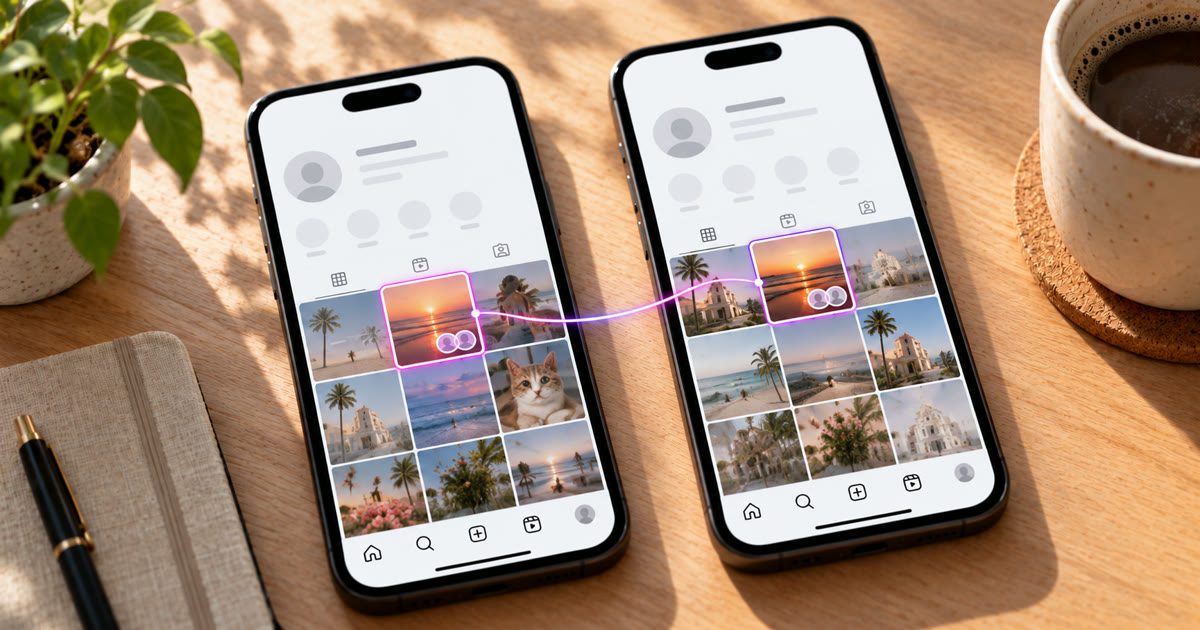
An Instagram collab post is one post that appears on several profiles at once. The person who creates it invites up to five collaborators, and once they accept, the post shows on every collaborator's grid and reaches all of their followers, with likes, comments and views counted together on the one post. It's the closest thing Instagram has to sharing an audience, and it works for feed posts, carousels and reels, but not stories.
This post covers how collabs work, how to set one up, who should be the one to post, and what to watch for if you run several accounts.
How do Instagram collab posts work?
The creator of a post invites other accounts as collaborators. Each collaborator gets an invite and can accept or decline. Once they accept:
- The post appears on their profile grid as well as the creator's.
- It's shown to their followers, not only the creator's.
- Likes, comments, shares and views are combined on one post, instead of being split across copies.
- Each collaborator can see the post's insights from their own professional dashboard.
Up to five collaborators can be added, so one post can sit on six profiles. Collabs work on feed posts, carousels and reels. You can't add collaborators to stories.
A collab isn't a repost. Every account shows the same post, so none of them uploads a copy. That keeps it clear of the unoriginal content rule that stops recommending accounts built on reposting other people's work.
How do you make a collab post?
When posting:
- Create your post or reel as usual and go to the final screen.
- Tap Tag people, then Invite collaborators.
- Search for each account and select it.
- Share the post. Each collaborator gets an invite.
After it's already posted: open the post, tap the menu, choose Edit, then Tag people → Invite collaborators. Instagram added this so a post can become a collab after it's published.
Accepting an invite: the collaborator gets a notification, taps Review, then Accept or Decline. A collaborator can remove themselves later, but only the creator can delete the post.
Who should post, and who should be invited?
The bigger account should post. Adam Mosseri has said collab posts tend to reach more people when the account with the larger following creates the post and invites the smaller ones, because ranking leans towards the original poster.
For a small account, that means the best collab is one where a bigger account posts and invites you, not the other way round.
How do you use collabs to grow reach?
Partner with accounts whose followers would actually follow you. Same niche, similar audience, not just a big number.
Make it worth both audiences' time. A collab reel that teaches something, shows something new or makes people laugh gets watched and sent, and those are the signals Instagram rewards.
Use collabs for launches and joint content, like a giveaway, a product drop, an interview or a before-and-after.
Check insights from both sides afterwards to see which audience responded.
Don't overdo it. A grid of nothing but collabs looks like a promotion network, not a creator.
Should you use collabs between your own accounts?
Carefully. A collab between your own accounts links them publicly and permanently: anyone can see which profiles share posts, and so can Instagram. That's fine for a brand with a few related, legitimate accounts. For a network of accounts you'd rather keep separate, it's the opposite of what you want.
Linked accounts tend to share each other's problems. If one is restricted, the accounts it posts with are easier to connect to it. We covered that pattern in how Instagram detects automation networks.
Collab invites have to be accepted by hand, inside each account's Instagram app. Plan for that if you're coordinating several accounts.
How does this fit with running several accounts?
Use collabs for real partnerships, and keep each account's own content and activity independent.
Onimator is software that drives the real Instagram app on Android phones, cloud phones and emulators, and IGBot is its Instagram module. Around collabs, it handles the rest of the account's routine:
- Scheduled posts for each account's own content, through the Post Scheduling Tool.
- Steady engagement with daily limits that ramp up. See How to Warm Up Instagram Accounts at Scale.
- Normal browsing between actions, through Human Behaviour Emulation.
If your reach drops after a run of collabs or anything else, go through why Instagram reach drops suddenly.
Instagram's terms don't allow automated use without permission. Automation carries risk, and nothing here removes it.
FAQ
How many collaborators can you add to an Instagram post?
Up to five, so one post can appear on six profiles: the creator's and five collaborators'.
Can you add a collaborator after posting?
Yes. Open the post, tap the menu, choose Edit, then Tag people and Invite collaborators.
Do collab posts share likes and comments?
Yes. Likes, comments, shares and views are combined on the one post, and it appears on every collaborator's profile.
Who should post a collab?
Usually the account with the larger following. Adam Mosseri has said collabs tend to reach more people when the bigger account creates the post and invites the smaller ones.
Can you collab on Instagram stories?
No. Collabs work on feed posts, carousels and reels, but not stories.
Don't stop at reading.
Join the community or pick a plan and start automating today.
Get help, share wins, stay ahead.
Thousands of operators, direct support from the team, and a live feed of updates, tips and drops.
- Live support and troubleshooting from the team and power users
- Setup walkthroughs, targeting tips and workflow templates
- Early word on new bots, features and releases
Ready to put growth on autopilot?
Run your accounts, clients or traffic funnel while Onimator does the work. Start scaling today.
- Unlimited accounts
- All available tasks
- Integrated AI Chatter
- Up to 7 devices