
Am I Shadowbanned on TikTok? How to Check and What Causes It
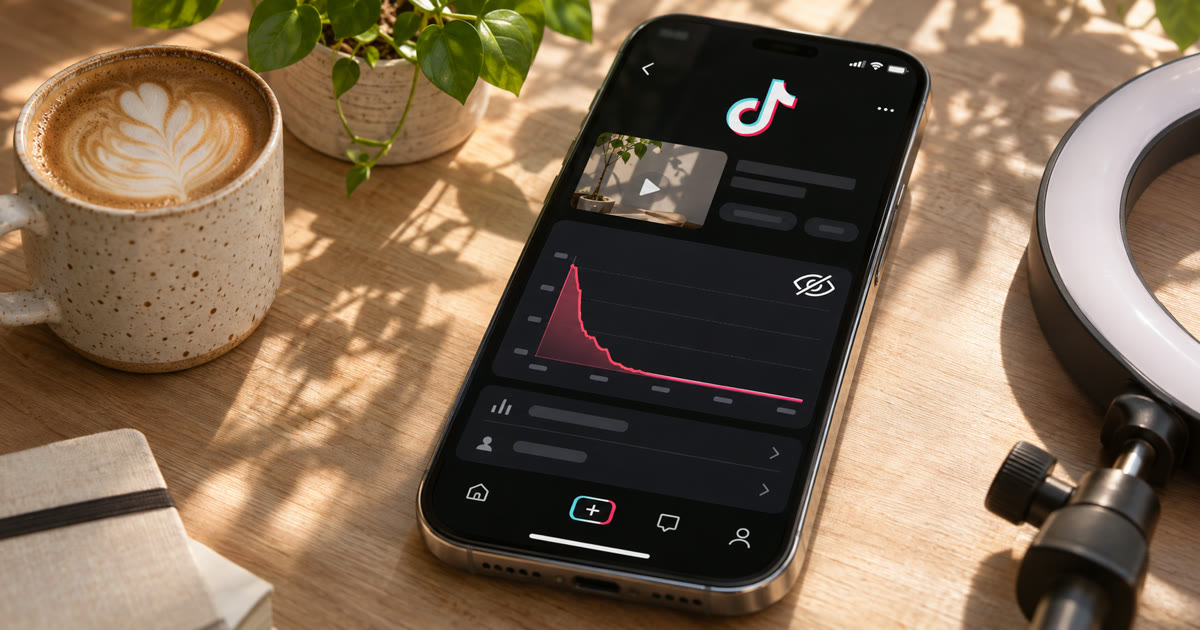
TikTok doesn't call it a shadowban, but it does stop some videos, and sometimes whole accounts, from being shown on the For You feed. Your videos still post and still show on your profile, but almost nobody new sees them. You can check in about five minutes: open a video's analytics and look at where the views came from, check your account status, and search for your own username from another account. If For You traffic has dropped to almost nothing across several videos while views from your profile and followers carry on, something is holding the account back.
This post covers how to check, what causes it and how to tell it apart from a normal bad week. If you already know you're limited and want the step-by-step way back, see our 21-day TikTok shadowban recovery protocol.
What is a TikTok shadowban?
It's when TikTok quietly stops recommending your content without removing it. People use the word for two different things:
- One video is ineligible for For You. That video stays on your profile and can still be found, but TikTok won't push it to new viewers.
- The whole account is ineligible for For You. In its 2024 Community Guidelines update, TikTok said it would make "an entire account temporarily ineligible for recommendation in the For You feed if a creator repeatedly posts content that goes against our For You feed standards", and that the account and its content "will be harder to find in search".
The first is common and usually about the video. The second is what most people mean by a TikTok shadowban. Our glossary has the general definition of a shadowban.
This isn't a ban. A banned or restricted account gets a notice in the app. If you got one, see TikTok account banned instead.
How do you check if you're shadowbanned on TikTok?
You don't need a paid tool. Do these four checks in order.
- Look at where your views came from. Open a recent video, tap the views count or More data, and check the traffic sources. On a healthy account, For You is usually the biggest source. If For You is close to zero on several videos in a row, while Personal profile and Following still bring views, your videos aren't being recommended.
- Check each video for an ineligible label. TikTok's For You feed eligibility standards say creators can see in analytics whether any of their videos "were made ineligible for recommendation". If one is, that's a single video, not the whole account.
- Check your account status. Profile → menu → Settings and privacy → Support → Safety Center → Account check (called Account status in some versions). This lists removed videos, strikes and restrictions from the last 90 days, including content restricted from the For You feed.
- Search for yourself from another account. Log in to a second account, or use the web version logged out, and type your username. If it doesn't come up after the first few letters, or your recent videos don't show under your hashtags, the account is harder to find in search, which matches an account-level limit.
One flop isn't a shadowban. A single video with low views is usually the video. Look for a pattern across at least five videos and a full week.
Is it a shadowban or just low views?
Most "shadowbans" are videos that didn't hold attention. Here's how to tell them apart.
| Shadowban | Weak videos | |
|---|---|---|
| For You traffic | Near zero on every video | Low, but still the main source |
| Views from profile and followers | Normal | Also low |
| Account check | Shows a restriction or ineligible content | Clean |
| Search for your username | Hard to find | Shows up normally |
| What fixes it | Stopping the cause and waiting | Better hooks and watch time |
If your account check is clean and For You traffic is low but not gone, the problem is usually watch time. We covered that in why your TikTok videos aren't hitting the FYP.
What causes a TikTok shadowban?
TikTok doesn't publish a full list, but its own pages name most of the causes:
Content that breaks the For You standards. The FYF standards make some content ineligible for For You because it "may not be suitable for a broad audience", even when it's allowed on the platform. Each section of the Community Guidelines marks what's "FYF ineligible".
Spam and duplicated content. In How TikTok recommends videos, TikTok says it doesn't recommend "duplicated content" or "any content that's considered spam", including "videos seeking to artificially increase traffic".
Reposting other people's videos. Clips downloaded from other accounts, or the same video uploaded to several of your own accounts, count as duplicated content.
Repeated violations. The account-level limit kicks in when an account keeps posting content that breaks the standards, so one problem video usually affects only that video.
Spam-like activity. Mass follows, the same comment on many videos, or bursts of likes in a few minutes look like an account trying to inflate traffic. See TikTok Community Guidelines strike for how violations add up.
Videos still under review. New uploads can be held from For You while TikTok checks them. This usually clears within hours.
How long does a TikTok shadowban last?
TikTok doesn't say. The account-level limit is described as temporary, and most creators report For You traffic coming back within about two weeks once the cause stops. Strikes, which often come with it, stop counting after 90 days. Accounts that keep posting the same kind of content tend to stay limited, and can move on to restrictions or a ban.
What should you do if you're shadowbanned?
- Check account status first. If a video is listed there and you think it was a mistake, appeal it from the notice. TikTok says it notifies creators when their account has been restricted from For You and that they can appeal.
- Delete or set to private reposted clips and anything that could be ineligible.
- Stop mass actions. No bursts of follows, likes or comments while you recover.
- Post original videos only, made for that account.
- Retest after a week with the checks above.
For the full day-by-day plan, follow the 21-day recovery protocol.
Don't make a new account to get around it. A new account with the same content on the same phone and network usually ends up in the same place, and creating accounts to avoid enforcement breaks TikTok's rules.
How do you avoid shadowbans when you run several TikTok accounts?
Post original content on each account, and make each account behave like one person who actually uses TikTok.
Onimator is software that drives the real TikTok app on Android phones, cloud phones and emulators. Its TikTok guides recommend these settings:
| Setting | Recommended | Where |
|---|---|---|
| Daily follows on new accounts | 5 to 10, raised slowly with auto-increment | Follow Tool |
| Daily likes | About 20 on new accounts, 40 to 60 once warmed | Like Tool |
| Comments | Off for the first 1 to 2 weeks, then about 10 a day, always spintax or AI | Comment Tool |
| Scroll Feed | Random watch time on each video, with a set chance of liking | Scroll Feed |
| Posting | A different version of each video on each account, with different captions | Post Tool |
| Active hours | A realistic window, such as 8:00 to 23:00, never 24/7 | Timer Tab |
These are ceilings, not targets. A few habits matter as much as the numbers:
Never post the same file on several accounts. Edit or re-export each version.
Watch before you engage. An account that only follows and comments, and never watches, doesn't look like a viewer.
One stable IP per account. See mobile vs residential vs datacenter proxies.
Check traffic sources every week. A drop in For You traffic is the earliest sign, long before a notice.
TikTok's terms don't allow spam or artificially inflating engagement, and automation carries risk. Nothing here removes it. What you control is how natural each account's activity looks.
FAQ
How do I know if I'm shadowbanned on TikTok?
Open your video analytics and check traffic sources. If For You traffic is close to zero on several videos in a row while profile and follower views carry on, and your account check shows restricted content, your account is probably being held back from For You.
Does TikTok actually shadowban accounts?
TikTok doesn't use the word, but it does make videos, and sometimes whole accounts, ineligible for the For You feed. It said in 2024 that accounts which repeatedly break its For You standards can be made temporarily ineligible and harder to find in search.
How long does a TikTok shadowban last?
TikTok doesn't publish a time. Most creators report For You traffic returning within about two weeks once the cause stops. Strikes stop counting toward your account status after 90 days.
Can you appeal a TikTok shadowban?
Yes, when it comes from a violation. Open account status, find the video or restriction and appeal it from there. TikTok says it notifies creators when their account is restricted from For You and lets them appeal.
Does deleting videos remove a TikTok shadowban?
Deleting the videos that caused it can help, but it doesn't reset the account on its own. Stop the behaviour that caused it, post original content, and give the account a week or two before you retest.
Don't stop at reading.
Join the community or pick a plan and start automating today.
Get help, share wins, stay ahead.
Thousands of operators, direct support from the team, and a live feed of updates, tips and drops.
- Live support and troubleshooting from the team and power users
- Setup walkthroughs, targeting tips and workflow templates
- Early word on new bots, features and releases
Ready to put growth on autopilot?
Run your accounts, clients or traffic funnel while Onimator does the work. Start scaling today.
- Unlimited accounts
- All available tasks
- Integrated AI Chatter
- Up to 7 devices