
Tinder Error 40303: What It Means and What You Can Do
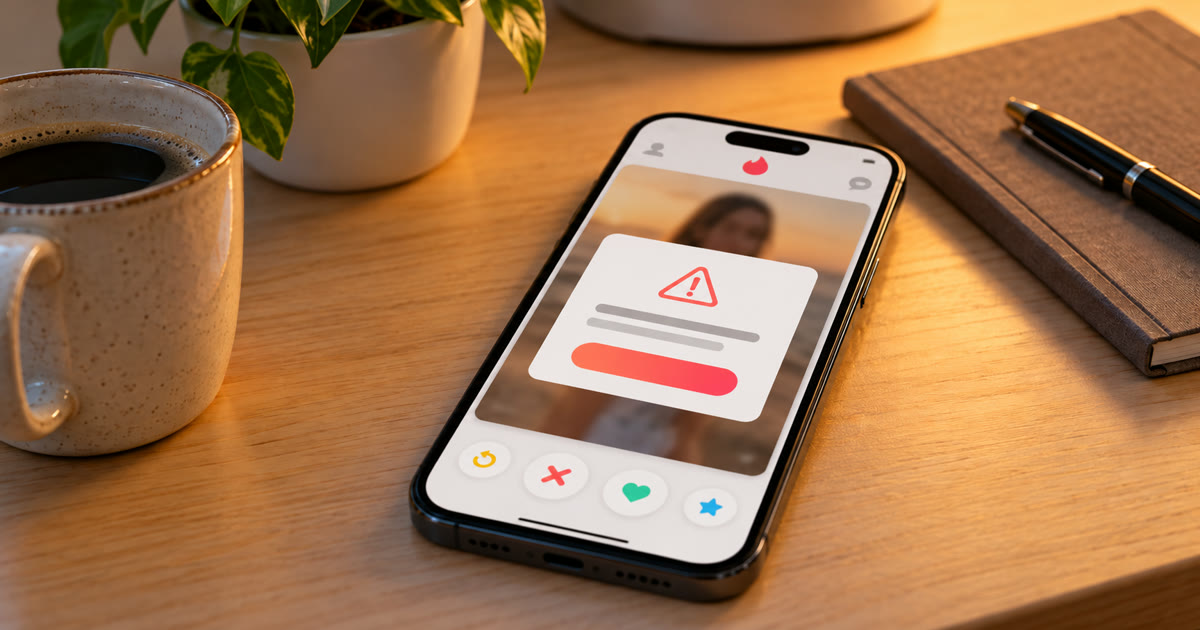
Tinder error 40303 almost always means the account has been banned. You try to log in, Tinder shows "Something went wrong" with the code 40303, and you're sent back to the sign-in screen. Tinder doesn't explain the code publicly, but its help centre says banned users get an email and a notice when they try to log in, and the only way back is an appeal through Tinder's Appeal Center. Reinstalling the app or clearing its cache won't fix a ban.
This post covers how to confirm what happened, how appeals work, why accounts get banned, and how to keep accounts you run from getting there.
What does Tinder error 40303 mean?
It's the code people see after Tinder has removed their account. Tinder doesn't publish a list of error codes, so "40303 means banned" comes from users, not from Tinder. It's consistent, though: almost everyone who reports it also finds a ban notice in their email.
Check your email first. According to Tinder's help centre, when an account is banned you receive an email and see a notification when you try to log in. That email is the confirmation the error code doesn't give you.
If there's no email, it may be a temporary login problem. Update the app, check your connection and try again later before assuming the worst.
Is it a ban, a suspension or a review?
Tinder uses several actions, and they're not the same:
| Action | What it means | How long |
|---|---|---|
| Warning | A violation was recorded, the account still works | Counts toward future action |
| Under review | Tinder is checking the account before deciding | Varies; see Tinder account under review |
| Suspension | Temporary removal for a confirmed violation | Tinder says you can return in 6 months |
| Ban | Permanent removal for a confirmed violation | Permanent unless an appeal succeeds |
Error 40303 is usually a ban. The email tells you which one you have.
Why do Tinder accounts get banned?
Tinder bans accounts when it finds violations of its Community Guidelines or Terms of Use. The common ones:
Reports from other users. Enough reports for rude, sexual or harassing messages trigger a review, and often a ban.
Spam and promotion. Sending people links, promoting other platforms, or advertising events and products.
Fake or misleading profiles. Photos that aren't you, catfishing, or impersonating someone.
Behaviour that looks like a bot. Swiping right on every profile, swiping around the clock, or sending the same opener to every match. See why 100% right-swiping kills your Tinder account.
Breaking the age rule. Anyone under 18, or appearing to be, is removed.
Ban evasion. Creating a new account after a ban is itself a violation.
How do you appeal a Tinder ban?
Through Tinder's Appeal Center, which you log in to with your normal Tinder details. Tinder's appeal guide describes the steps:
- Open the Appeal Center and sign in with your usual Tinder login.
- Find the violation you want to appeal and select it.
- Tap Begin appeal, explain briefly why you think it was a mistake, then tap Submit appeal.
- The violation moves to the Appealed tab with an In Review label, which changes to Approved or Denied when Tinder decides.
You have up to 6 months to appeal. If you don't see the option, the action is older than that, or you've already appealed it. Tinder's appeals policy says a successful appeal can reverse the ban and reinstate the account.
Don't make a new account while you wait. Tinder says banned users can't create new accounts, and a new one tied to the same phone number, photos or device is usually removed quickly.
How do you keep Tinder accounts from getting banned?
Behave like a person who's actually dating: selective, active at normal hours, and writing real messages.
Onimator is software that drives the real Tinder app on Android phones, cloud phones and emulators. Its Tinder guides start new accounts here:
| Setting | New accounts | Warmed accounts |
|---|---|---|
| Percent to like | 40–70%, never 100% | 40–70% |
| Delay between swipes | 2–4 seconds | 2–4 seconds |
| Right-swipes per day | 15–25 | 30–50 |
| Messages per day | 10–15 | 20–40 |
Where these live: the Matching, Messaging and Timer guides. These are ceilings, not targets.
Never send links in early messages. Moving people to another platform in the first few lines is the fastest route to a spam report.
Vary every opener. Write to the profile in front of you, not the same line to everyone. See AI DMs on Bumble and Tinder.
Keep realistic hours, with an evening peak and a sleeping window.
Use real photos of a real person, consistent across the profile.
If an account suddenly gets no matches but still logs in, that's a different problem: see Tinder shadowban. And for how Tinder decides who sees you, see does Tinder still use an Elo score?.
Tinder's terms don't allow automated use of the app. Any automation carries risk, and nothing here removes it. What you control is how much each account looks like a person using Tinder.
FAQ
What does Tinder error 40303 mean?
It almost always means the account has been banned. Tinder doesn't publish its error codes, but users who see 40303 nearly always find a ban email from Tinder as well.
Can I fix Tinder error 40303 by reinstalling the app?
No. If the account is banned, reinstalling or clearing the cache changes nothing. The only route back is an appeal through Tinder's Appeal Center.
How long does a Tinder ban last?
A ban is permanent unless an appeal succeeds. A suspension is temporary: Tinder says suspended users can return in 6 months.
How long do I have to appeal a Tinder ban?
Up to 6 months from the action. After that, or once you've appealed, the option no longer appears.
Can I make a new Tinder account after a ban?
Tinder says banned users can't create new accounts. Doing it anyway is ban evasion, and new accounts linked to the old one are usually removed.
Don't stop at reading.
Join the community or pick a plan and start automating today.
Get help, share wins, stay ahead.
Thousands of operators, direct support from the team, and a live feed of updates, tips and drops.
- Live support and troubleshooting from the team and power users
- Setup walkthroughs, targeting tips and workflow templates
- Early word on new bots, features and releases
Ready to put growth on autopilot?
Run your accounts, clients or traffic funnel while Onimator does the work. Start scaling today.
- Unlimited accounts
- All available tasks
- Integrated AI Chatter
- Up to 7 devices